📚 LEARNING CENTER

Master Underbot in minutes

Step-by-step tutorials, video guides and expert tips to get the most out of the platform.

6 Tutorials
57 min read
100% Free

💡 Quick Tips

💡

Start with simulations before betting real money

📅

Use at least 3 months of historical dates for more accurate simulations

🎯

Focus on leagues you know for better results

⚖️

Never bet more than 2-5% of your bankroll per match

📊

Review your results weekly and adjust your strategy

🔄

Diversify between different bet types and leagues

Step-by-Step Tutorials

Follow these guides to master every Underbot feature

⏱️ 5 min Beginner

Getting Started

Learn to set up your account and navigate the dashboard.

Steps:

  1. 1 Create your Underbot account and activate your free trial
  2. 2 Access the main dashboard from your browser
  3. 3 Get familiar with the sidebar navigation
  4. 4 Configure your favorite bookmakers
  5. 5 Customize your league and sports filters
⏱️ 8 min Beginner

Live Match Monitoring

Master the matches dashboard with advanced filters.

Steps:

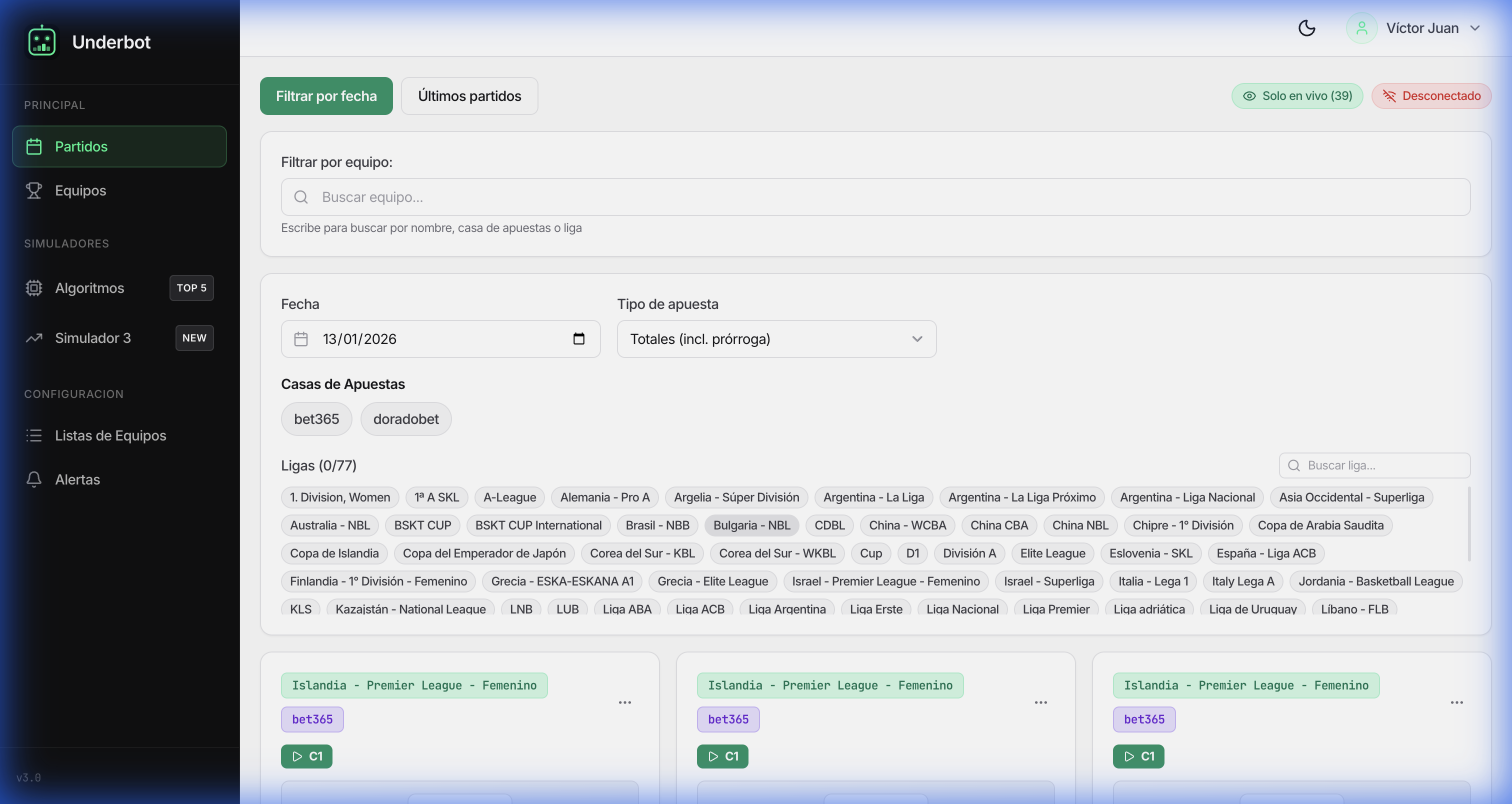
  1. 1 Access the "Matches" section from the sidebar menu
  2. 2 Use the date filter to view specific matches
  3. 3 Filter by bookmaker (Bet365, Doradobet, etc.)
  4. 4 Select specific leagues using the search box
  5. 5 Watch real-time odds and their changes
  6. 6 Click on a match to see complete details
⏱️ 15 min Intermediate

Create Your First Algorithm

Learn to configure automated betting strategies.

Steps:

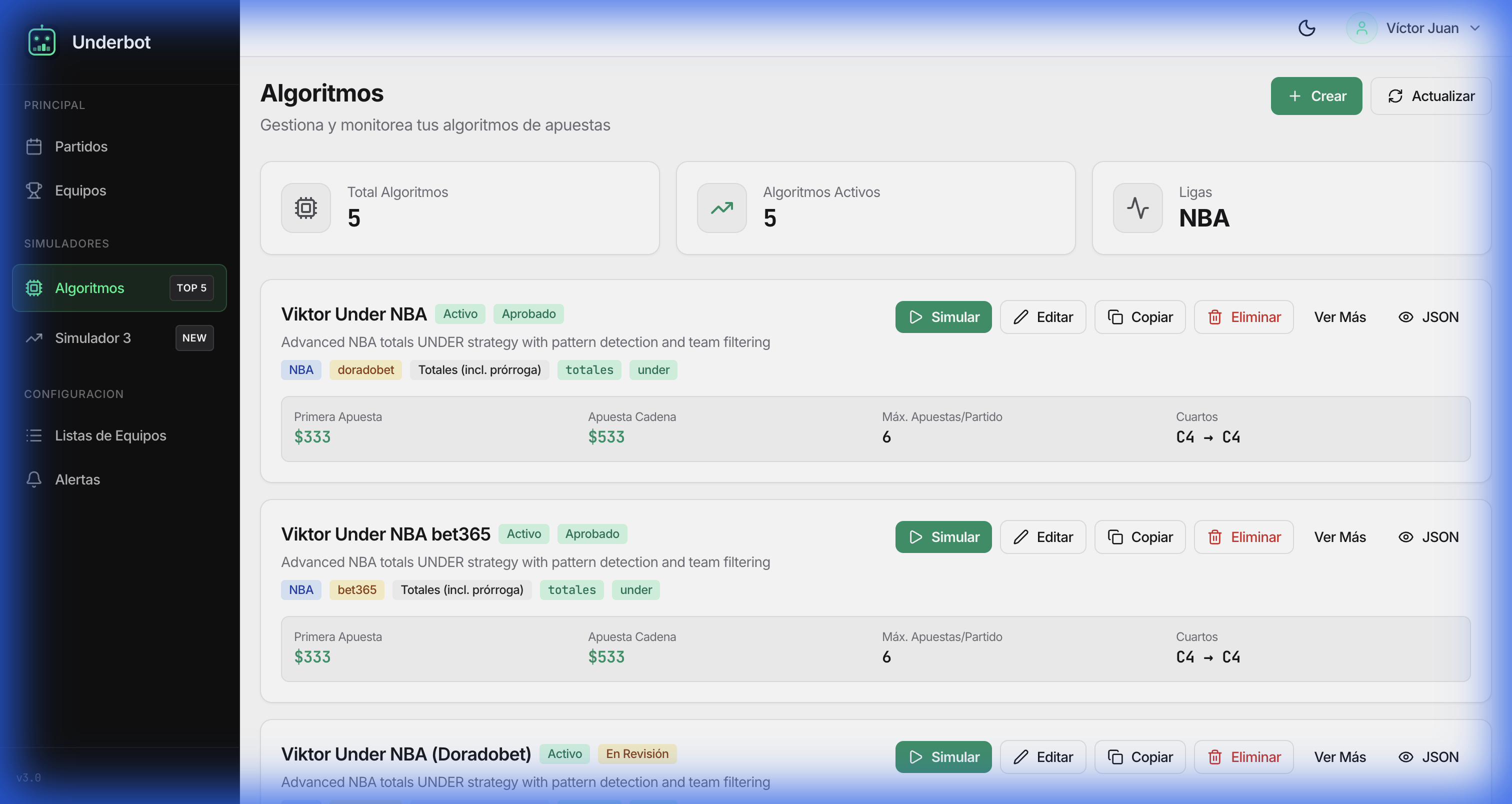
  1. 1 Go to the "Algorithms" section in the sidebar
  2. 2 Click on "Create New Algorithm"
  3. 3 Define a descriptive name for your strategy
  4. 4 Select the bet type (Over/Under, Handicap, etc.)
  5. 5 Configure parameters: target quarter, odds threshold
  6. 6 Define the bet amount per match
  7. 7 Activate the algorithm to start running
⏱️ 12 min Intermediate

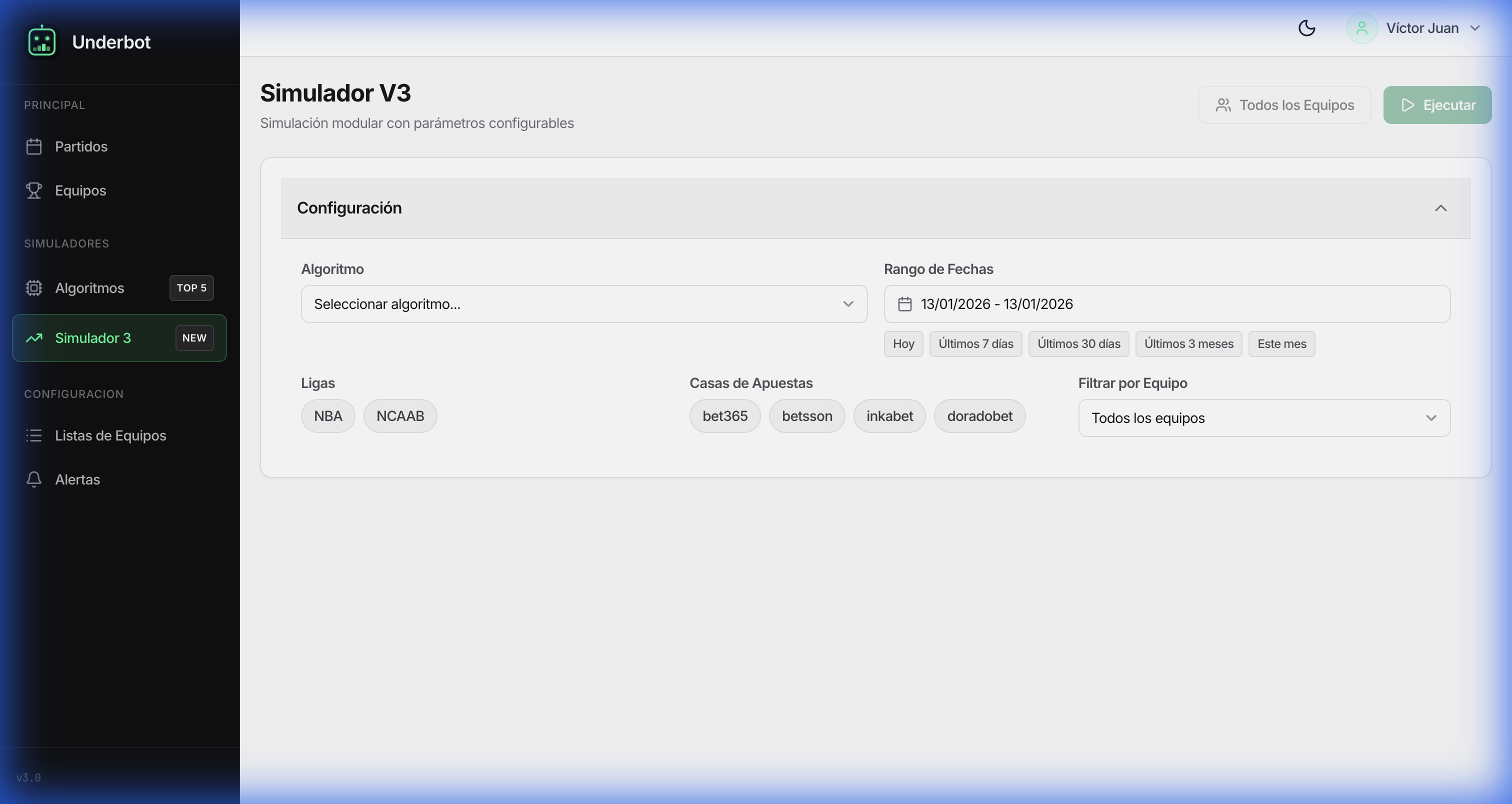
Using the V3 Simulator

Test your strategies with historical data before risking money.

Steps:

  1. 1 Access "Simulator V3" from the sidebar menu
  2. 2 Select the date range for simulation
  3. 3 Choose the algorithm you want to test
  4. 4 Configure initial bankroll and bet unit
  5. 5 Run the simulation and wait for results
  6. 6 Analyze metrics: ROI, success rate, drawdown
  7. 7 Adjust parameters and simulate again
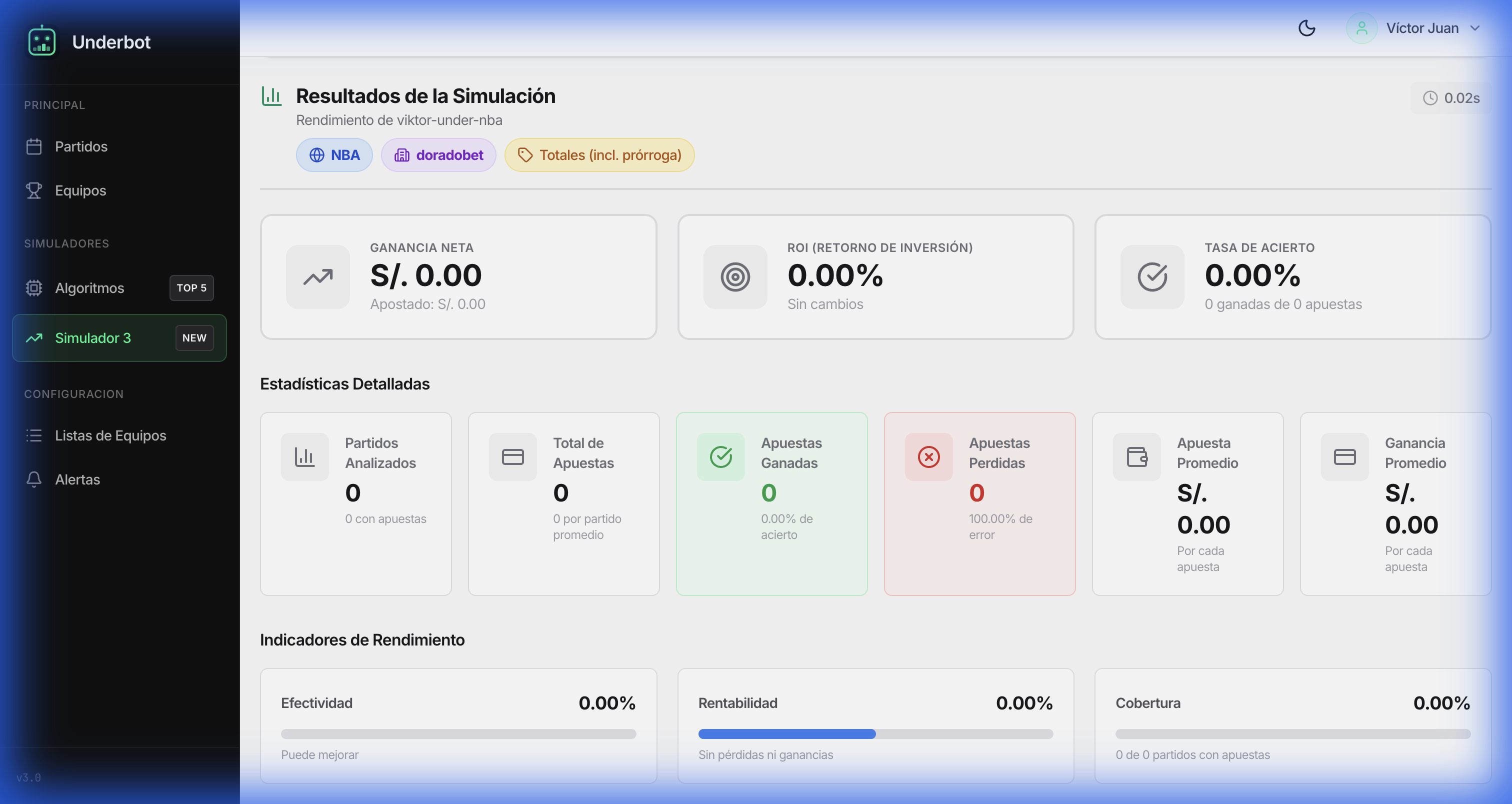
⏱️ 10 min Advanced

Results Analysis

Interpret metrics and optimize your performance.

Steps:

  1. 1 Review the bankroll evolution chart
  2. 2 Identify the ROI (Return on Investment) achieved
  3. 3 Analyze the success rate (win rate)
  4. 4 Observe maximum drawdown to evaluate risk
  5. 5 Compare performance by league or bookmaker
  6. 6 Export data for detailed analysis
  7. 7 Identify success patterns and adjust your strategy
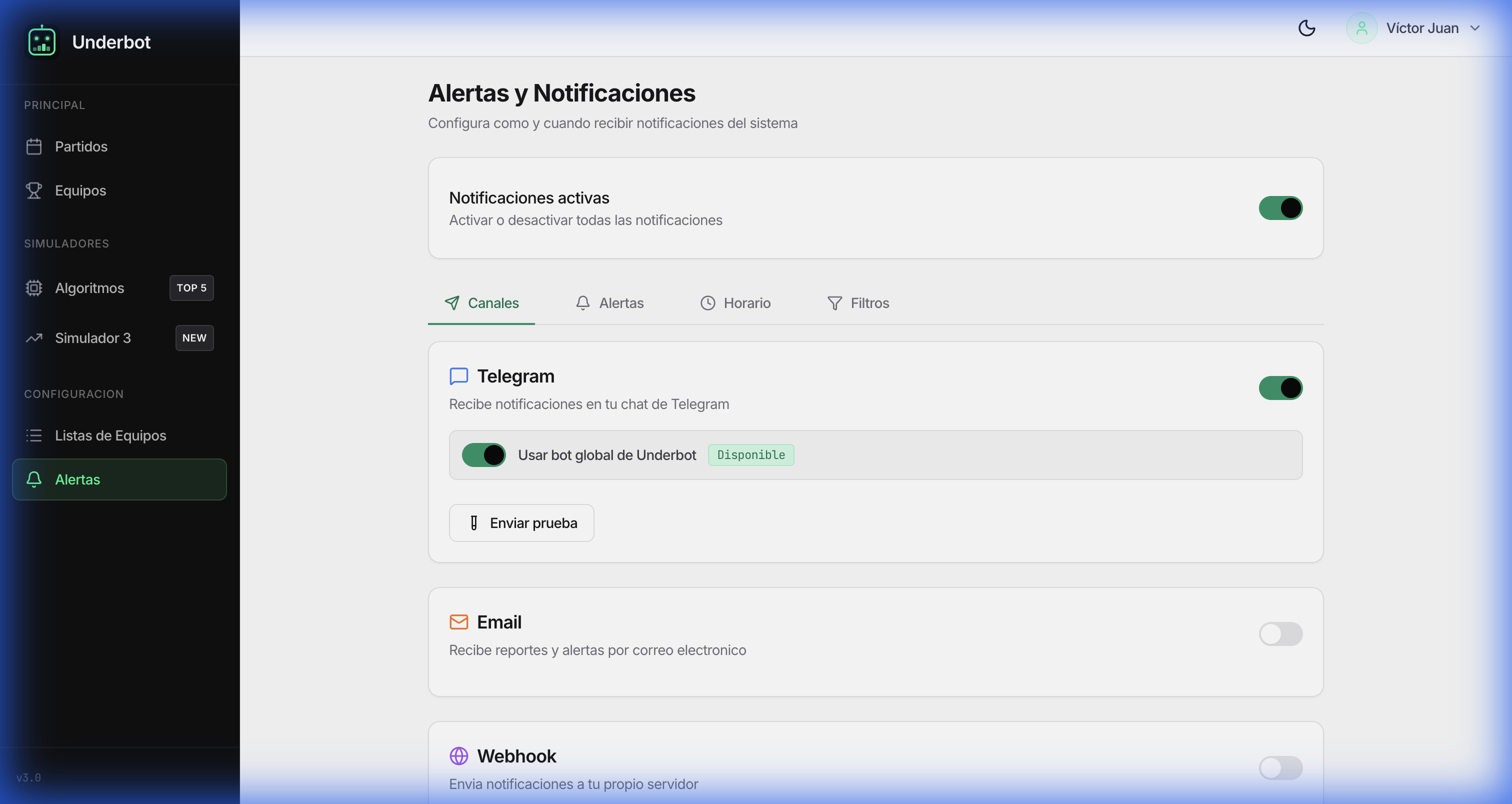
⏱️ 7 min Beginner

Configure Alerts

Receive instant notifications of opportunities.

Steps:

  1. 1 Go to the "Alerts" section in the sidebar
  2. 2 Click on "Create New Alert"
  3. 3 Select notification type (Telegram, Email, Webhook)
  4. 4 Configure conditions that trigger the alert
  5. 5 Define the algorithm or matches to monitor
  6. 6 Test the alert with the "Send Test" button
  7. 7 Activate the alert to receive real-time notifications

🎬 Video Guides

Learn visually with our video tutorials

🎥 More video tutorials coming soon...

Ready to get started?

Apply what you've learned and start tracking odds in real-time.

🤖 Apuestas Gratis Bot IA en Telegram